Case study2 of 3
arch0
Who can reach what in your cloud, and what to do about it.
I was the founding designer at arch0, a cloud-security product for the teams who run a company's AWS and GitHub. It reads every permission in those accounts and turns the risky ones into one path: spot a risk, understand it, see who holds the access, review a fix, check the result.
Finding the risk is the easy half.
As a company grows, people, applications and automated tools gain access to more cloud systems than they need. A forgotten account or an over-powerful role can expose customer data. Security tools are good at raising that alarm. The engineer who receives it then has four questions to answer before they can act, and in most tools the answers live on separate screens.
- Who has this access?
- What can they reach with it?
- Why is it a problem?
- What should we do about it?
The design problem was to connect those answers and end on a next step, without hiding the technical depth the engineer needs to trust it.
Five words recur across the product. Here is what each one means in arch0.
- Identity
- Anything that can act in a cloud account: a person, an assumed role, a service, an app.
- Permission
- An action an identity may take, such as
s3:PutBucketAcl, which changes who can read a storage bucket. - Resource
- The thing a permission reaches: a bucket, a database, a whole account.
- Check
- A rule run against the cloud's live configuration, per account and per region. A failing check is a risk.
- Framework
- A standard such as SOC 2 or ISO 27001: the checks an auditor will ask about.
A prototype that proved the idea, one screen at a time.
The two co-founders had the product idea and an early prototype. It made its decisions screen by screen: the same concept carried different names on different pages, the same status wore different colours, and recurring tasks had no shared pattern. That is normal for a first prototype, and it is what stops a product growing cleanly.
I joined as the sole designer to give it one architecture, standardise the recurring patterns and build the interface system the founders could keep extending as they shipped. They still do.
One path. Five screens.
Every screen serves a step on the same route, from noticing a problem to seeing it fixed. Risk, Identities and the Activity Feed are three doors into the same data, so a person can start from whichever question they have. Compliance maps those findings onto the frameworks the team tracks.
- 01Spot a riskDashboard
- 02Understand itRisk
- 03See who holds the accessIdentities
- 04See what changedActivity Feed
- 05Check the fixCompliance
Five decisions carried the product.
Each one trades something away. The trade is written under it.
01 Spot a risk · Dashboard
Count first.
Spend colour only on severity.
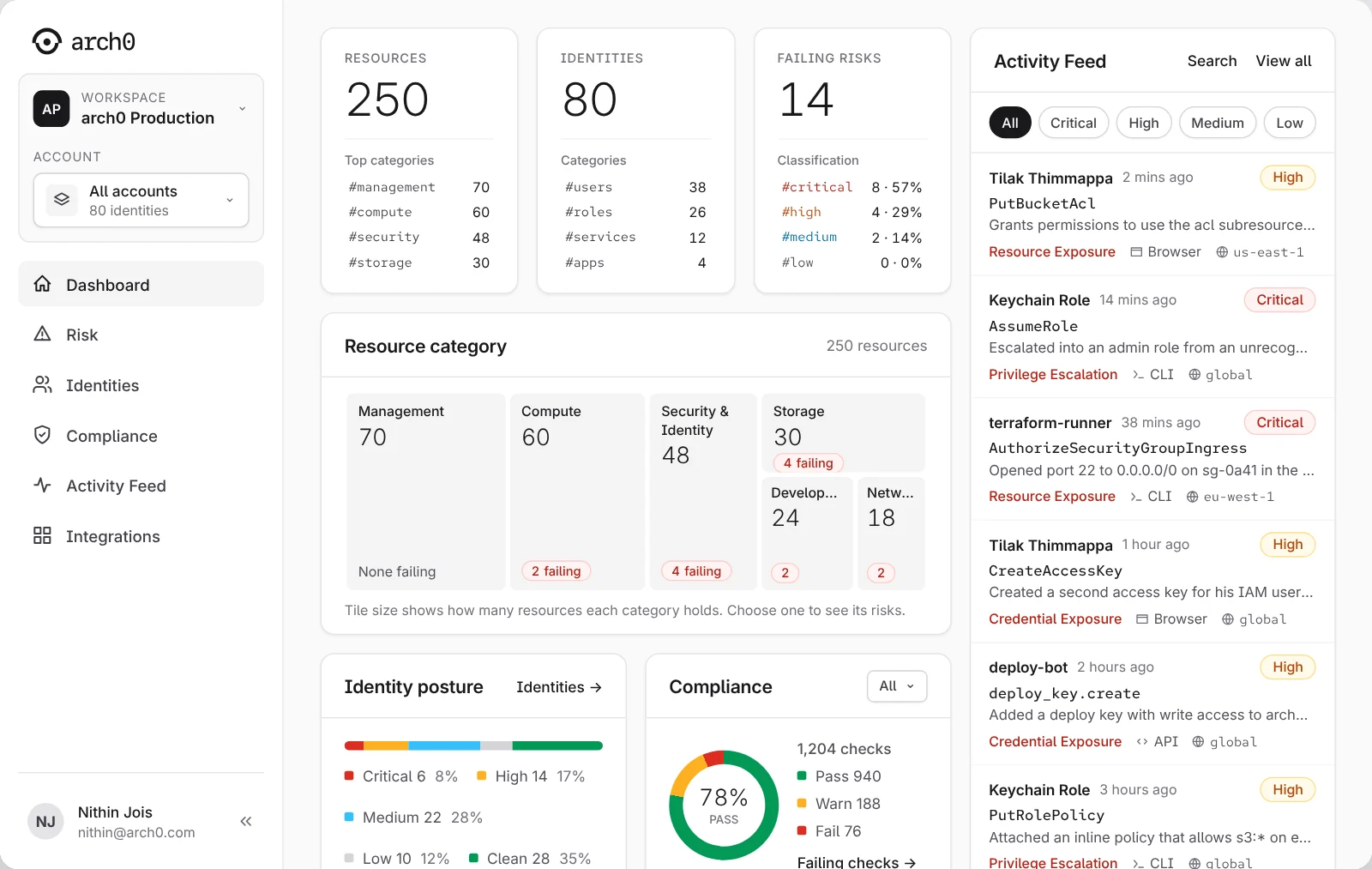
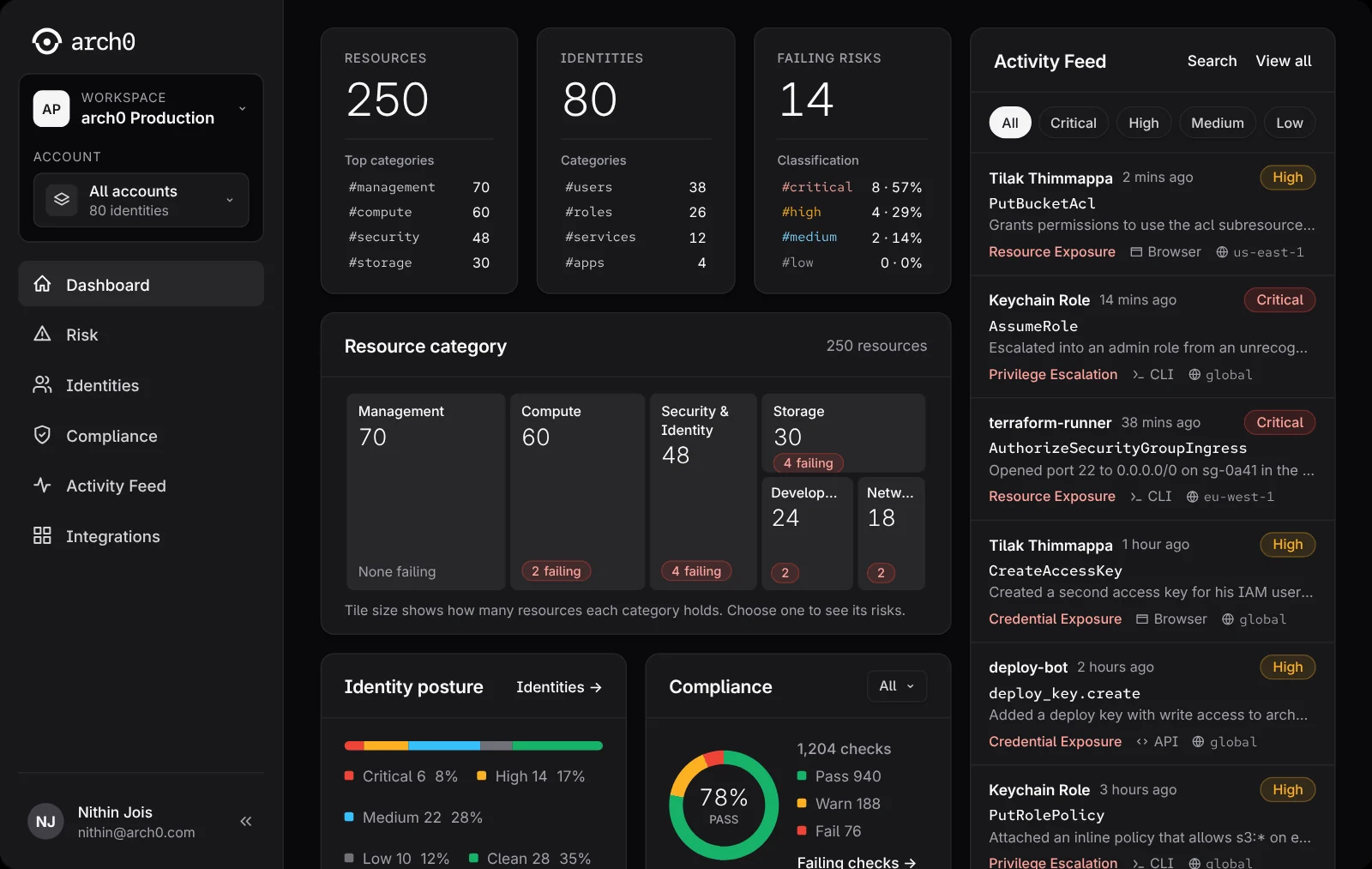
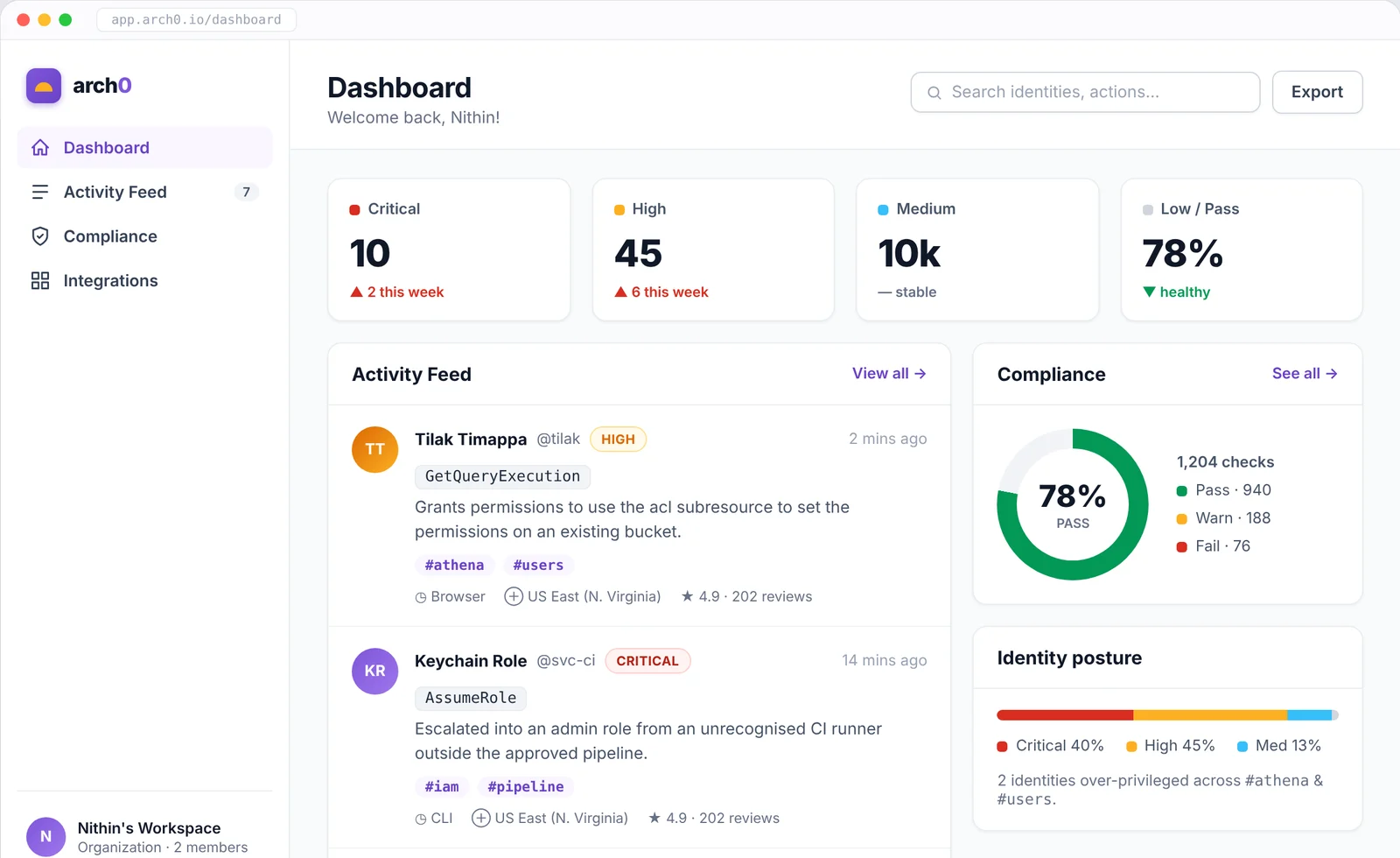
The dashboard puts the four things a security lead checks each morning on one screen: how many resources and identities arch0 watches, which checks fail and how badly, how the tracked frameworks score, and what changed recently. Each count has its breakdown underneath, and every row opens the filtered list behind it: choose #critical and you land on the critical risks. The feed keeps its own column, so recent changes stand beside the overall picture instead of behind a tab.
The interface stays neutral. Red, amber, blue and green mean Critical, High, Medium and Pass, and nothing else competes with them.
A neutral screen asks the reader to look for the colour. The first visit is slower than a wall of red; every visit after it is faster.
02 Understand it · Risk
A finding carries its own evidence
and its own fix.
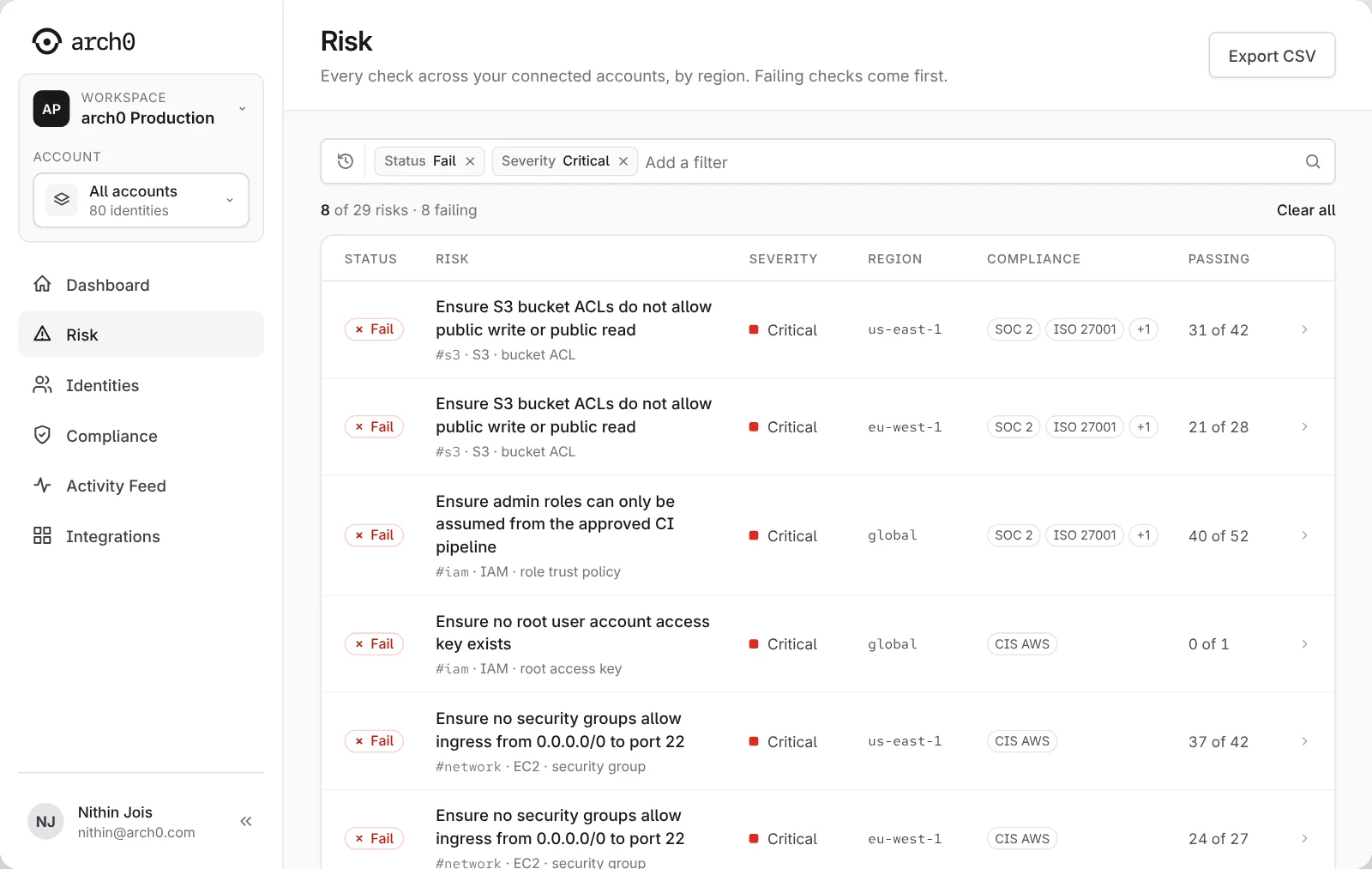
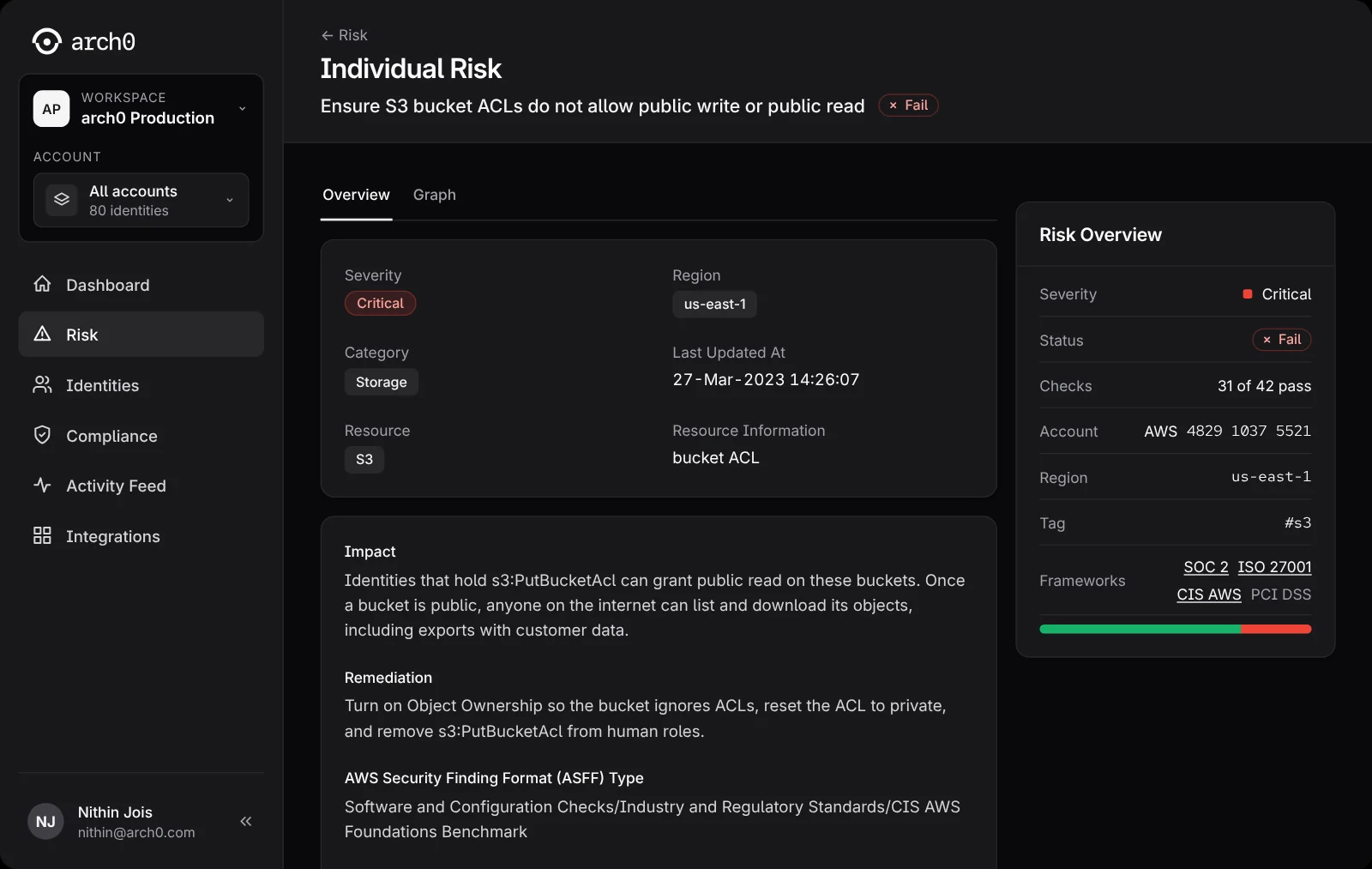
The Risk page lists every check across the connected accounts, failing ones first. Filters narrow it by status, severity, region, framework and category, and each filtered view has its own address, so a teammate opens the same set of findings from a link.
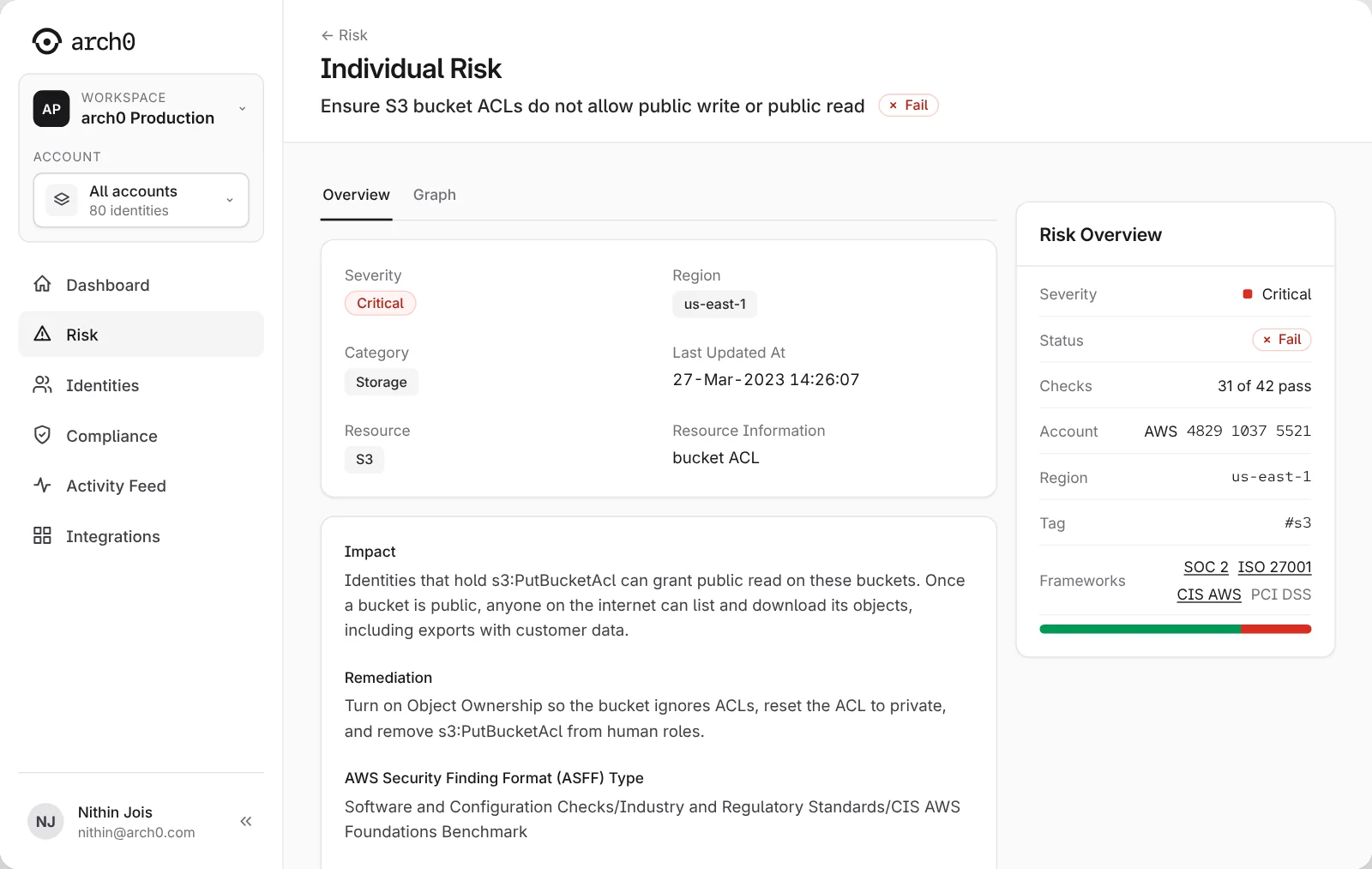
Open a row and the finding reads in the order an engineer needs: what failed and where, why it matters, how to fix it, and which standards care. The remediation names the exact change and the command that makes it, so the person reviewing it can judge the fix before anyone runs it.
A check runs per account and per region, so one check can fail in us-east-1 and pass in eu-west-1. That makes more rows. The row count is the real count, and it is the one someone has to clear.
03 See who holds the access · Identities
Fixed columns, so the same identity
is always in the same place.
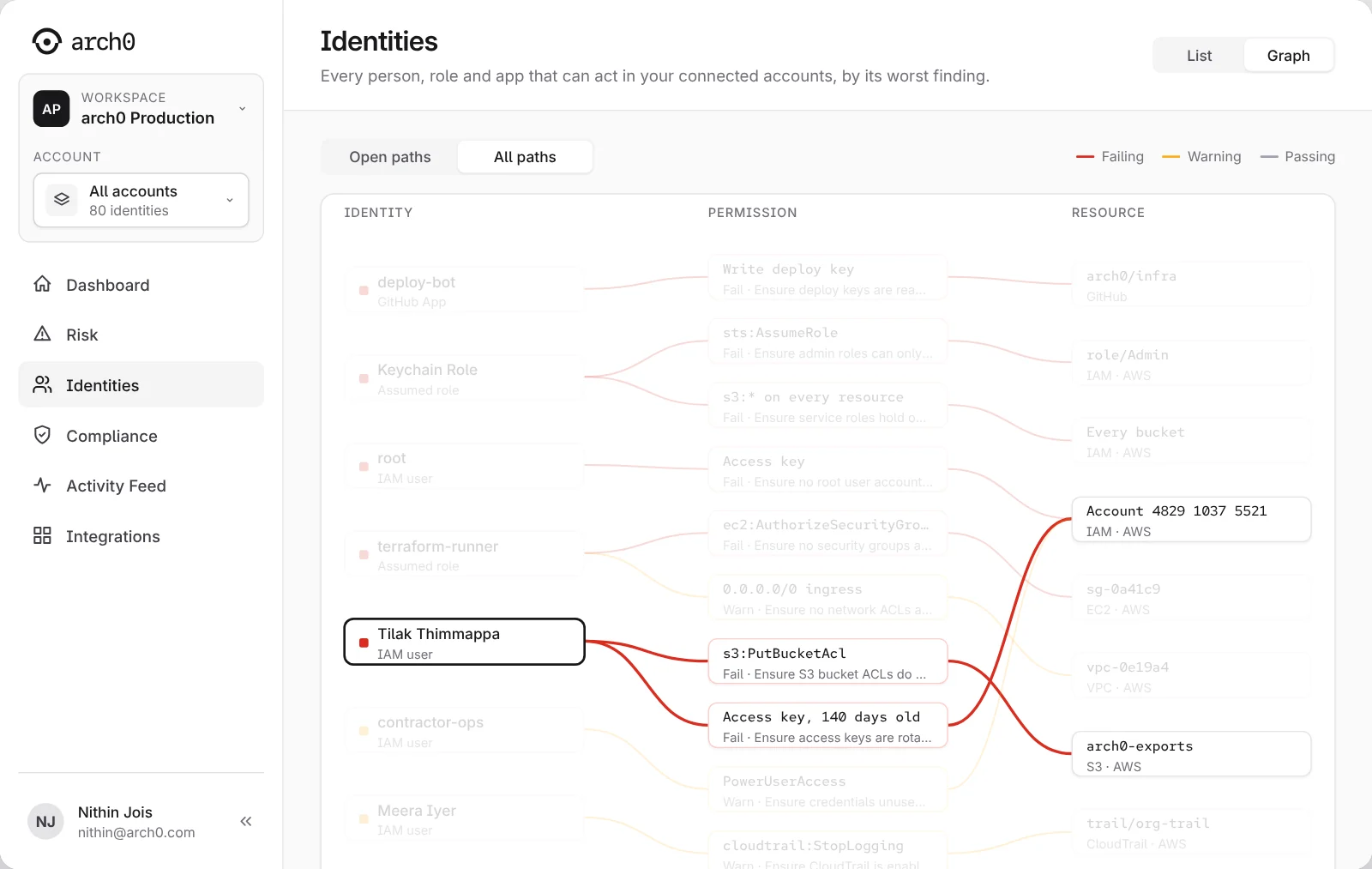
The Identities page lists every person, role and app that can act in the connected accounts, ranked by its worst finding. An identity's severity follows what its permissions can reach, so an identity with one failing check can still rank Critical; the identity page says so when the two differ.
The graph view connects three things: who has access, what they may do, and what they can reach. I chose fixed columns over a force layout, so every path reads left to right and nothing moves between visits. Choosing a node fades everything off its paths; an identity opens its page, a permission or resource opens the risk behind it. The investigation runs either way: start from a risky bucket and find who can reach it, or start from a person and inspect what they hold.
Fixed columns can't show all 80 identities at once. The graph draws the paths behind open checks, 11 of them; the list holds everyone.
04 See what changed · Activity Feed
An event keeps its list in view,
and links to its risk.
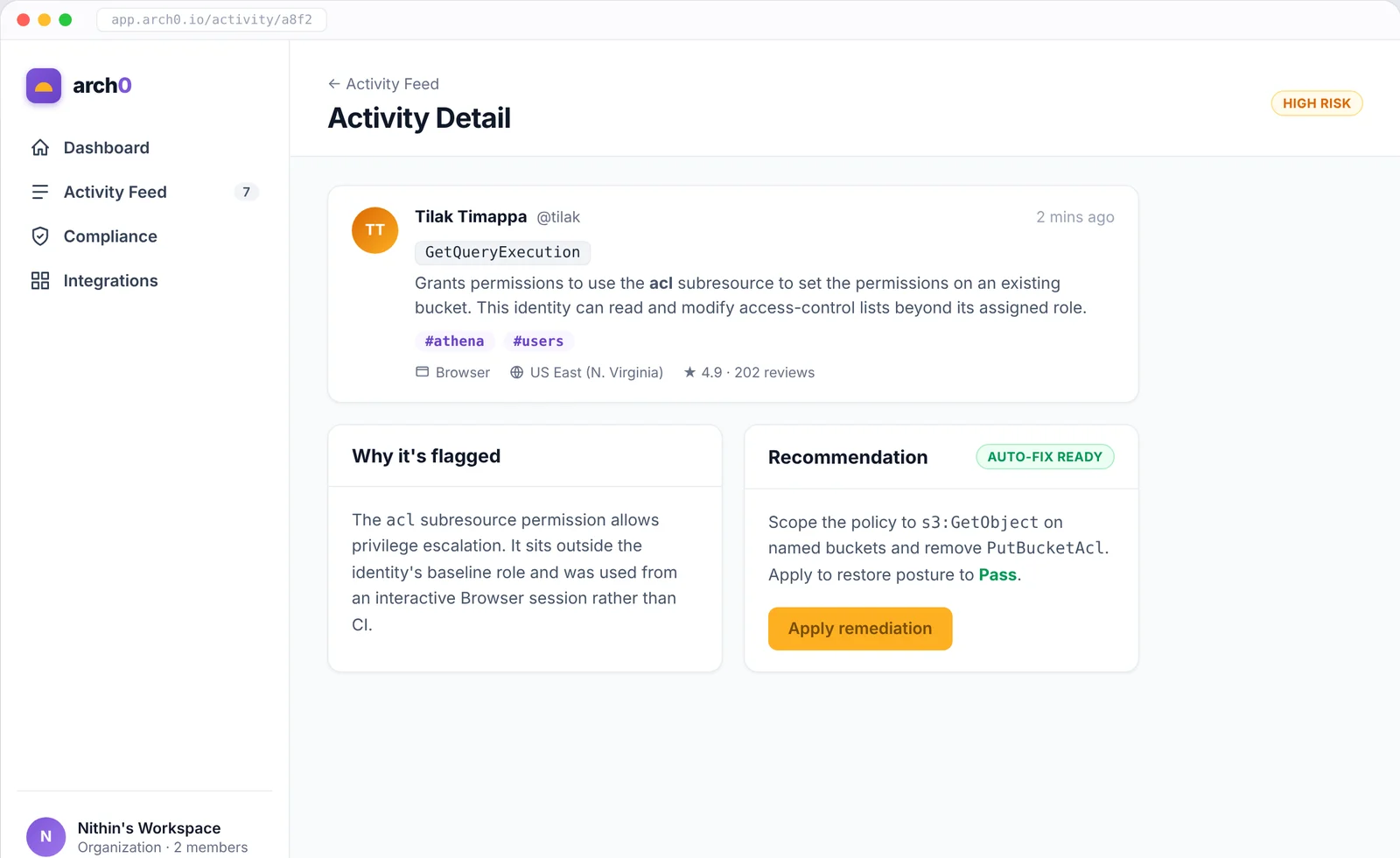
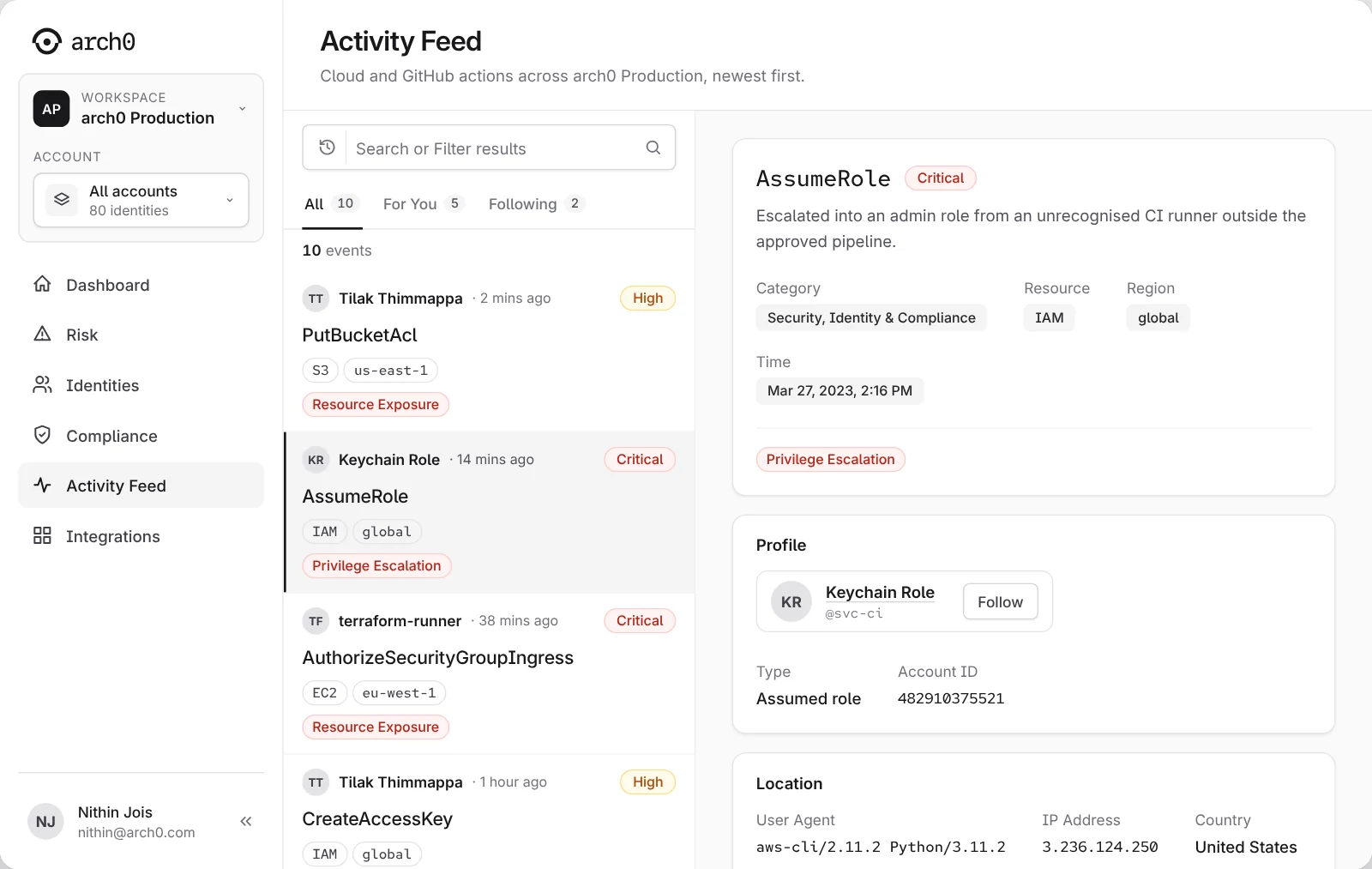
The feed lists cloud and GitHub actions, newest first. Selecting an event opens its detail beside the list, so the reader keeps their place: who did it, when, from where, which resource it touched and which risk type it belongs to. Each event links to the related risk. That is the step most tools skip, from "something changed" to "this is the security consequence".
A split view halves the width of each half. The list keeps four facts per row and lets the detail carry the rest.
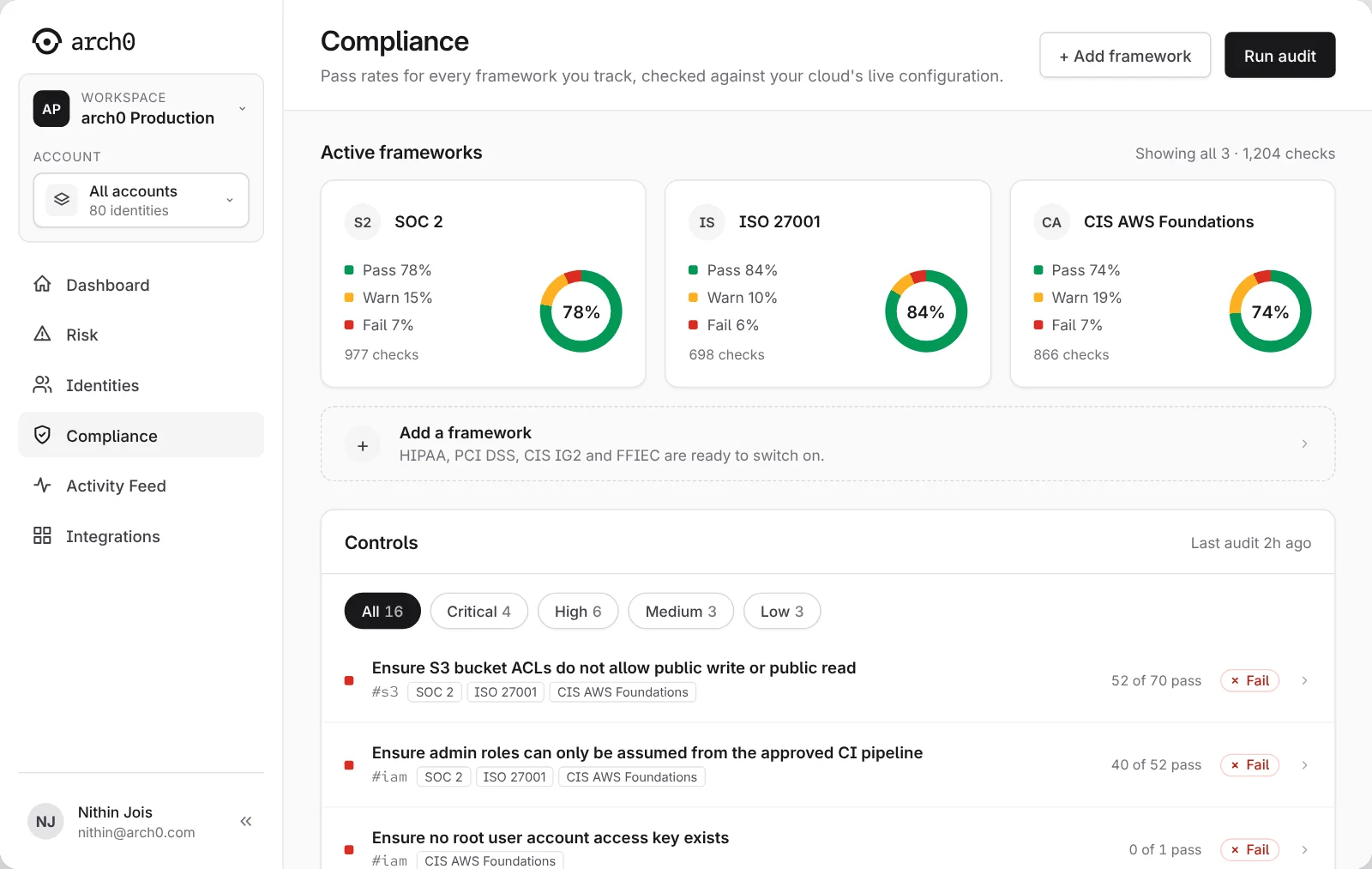
05 Check the fix · Compliance
Compliance counts what you track.
Risk shows everything.
The dashboard, Risk, Identities and Compliance all read from the same data. When someone applies a fix, the finding updates, its path in the graph turns grey, and every count that included it moves with it. The prototype plays that whole loop.
Compliance tracks the frameworks a team chooses. Switch one on and its checks join the totals; choose a framework and the controls below filter to it. Risk still lists checks from frameworks the team does not track, because a problem matters whether or not an audit asks about it.
The two pages show two different totals. The page says why, instead of making them agree.
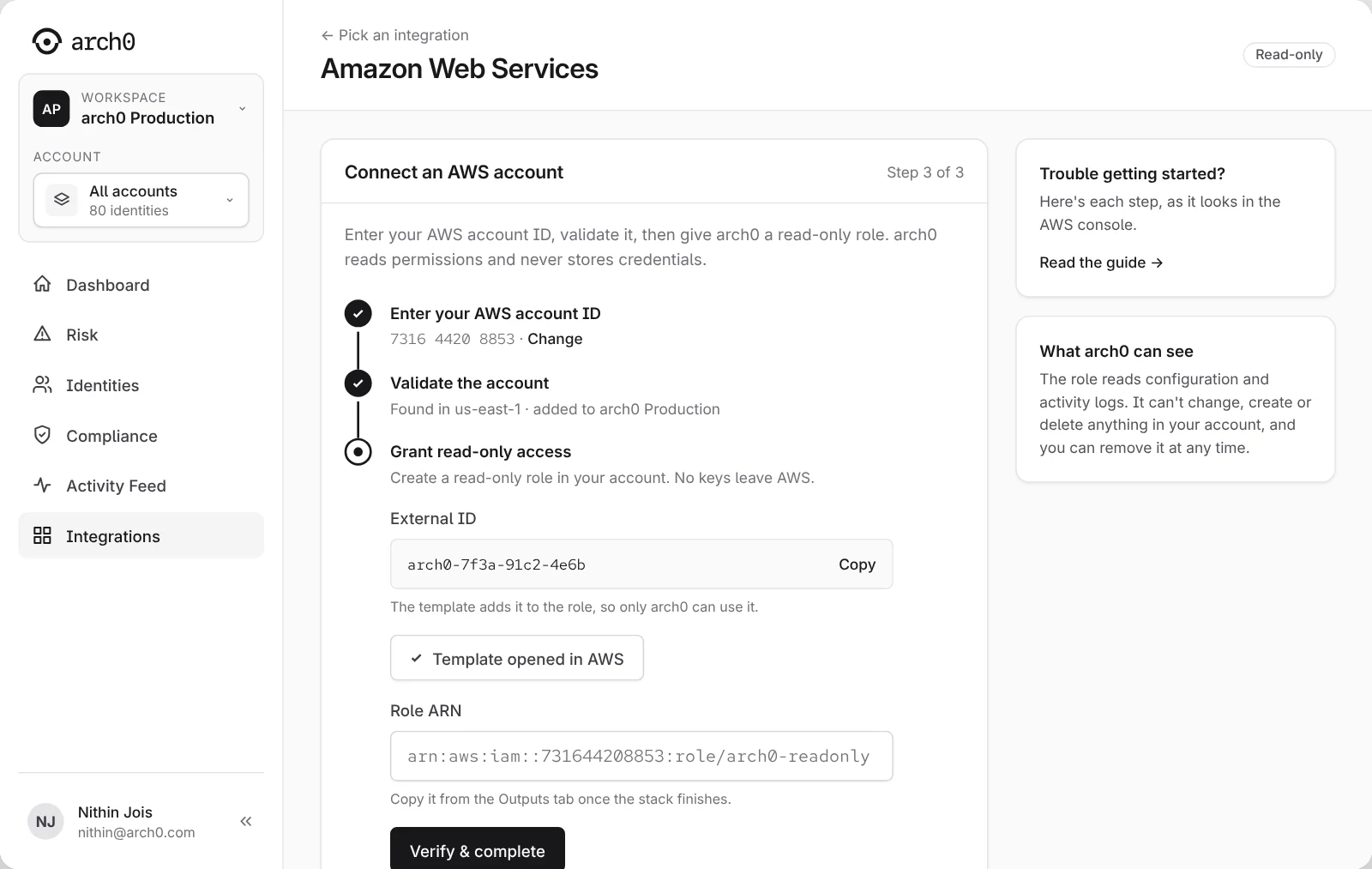
A security product should ask for the least access it can.
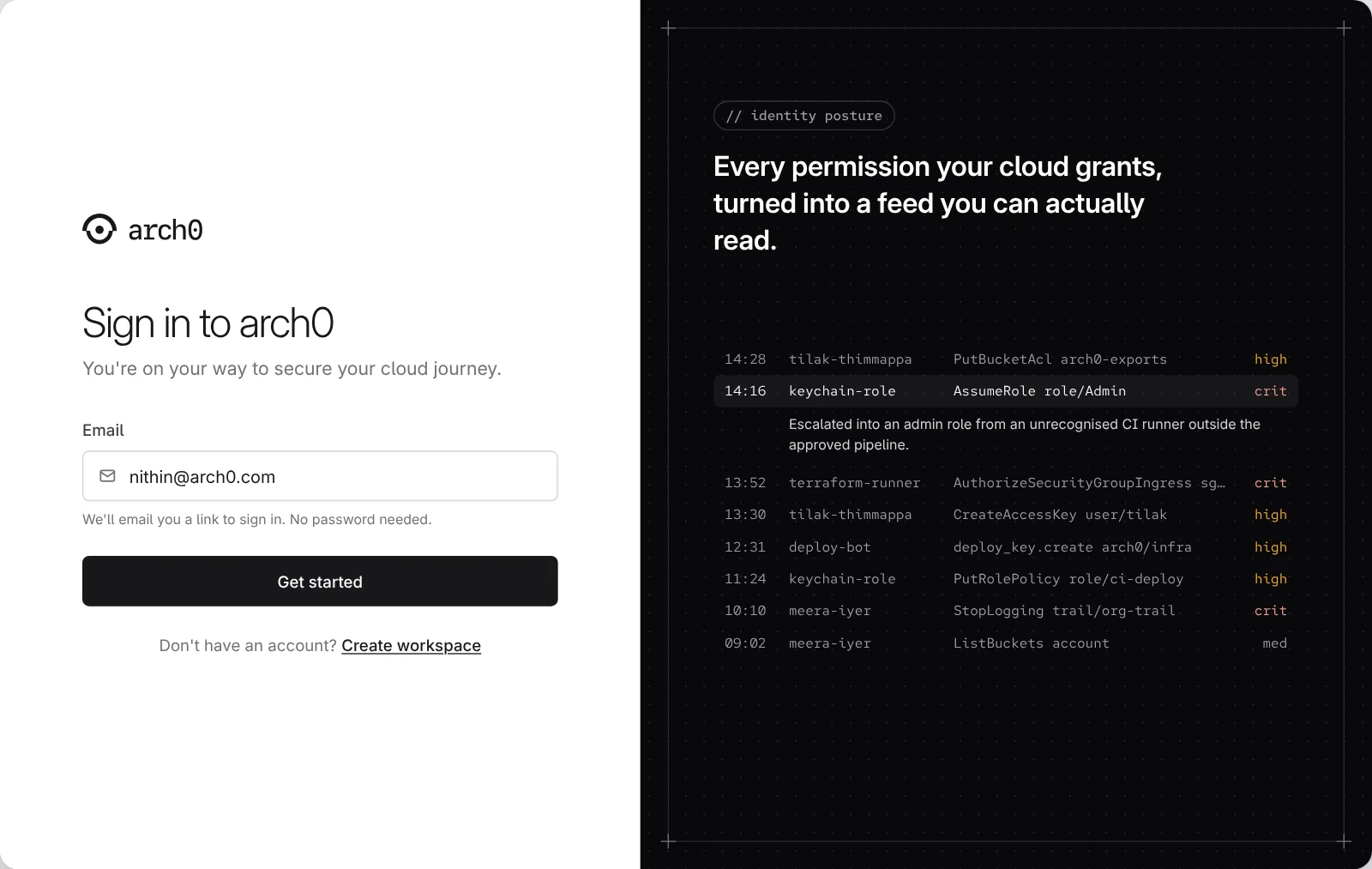
Connecting a security tool means handing it a view of your cloud, so the setup has to earn that. arch0 asks for a read-only IAM role created from a template and scoped with an External ID, and explains beside the form what the role can see: configuration and activity logs. No access keys leave the account, and the team can remove the role at any time. Sign-in works the same way, with a magic link and no password: one fewer secret for a security team to hold.
The earlier flow asked for an AWS access key. A security product that asks for long-lived keys contradicts its own promise, so the step asks for a role instead.
Reading is enough to assess. Applying a fix needs write access a read-only role does not have, so it needs its own permission and an approval. The prototype shows the remediation and its result; the approval flow is the next thing to design.
A small system two founders can keep current.
Every colour is a token with a light value and a dark value, so there is no light-only colour to break the dark theme. Light and dark are one build behind a switch that follows the computer's setting until the person chooses.
Type
Inter for interface copy, with light figures for the counts that are the dashboard's job. Red Hat Mono for identifiers: actions, account IDs, regions, tags.
Colour
Neutral greys from arch0's own brand. Red, amber, blue and green for Critical, High, Medium and Pass. The primary action no longer shares a colour with High.
Spacing
An 8px grid: 16px gaps, 20px card padding, 40px controls, 44px form fields. A 6px control radius and pill badges from the marketing site.
Readability
Every text colour meets 4.5:1 in both themes, each page reads h1, h2, h3 in order, and every row and card is a link the keyboard can reach.
Teams tried it before we had finished explaining it.
Over 25 teams trialled the platform and two or more converted ahead of the expected sales cycle. A working product, however early, did what a pitch could not.
What I can claim
The trial and conversion counts come from the founders. The prototype on this page runs on sample data, and I have not measured how much faster a team investigates or fixes a risk with arch0, so this page makes no such claim. The lasting outcome is the interface system, which the founders continue to adapt and extend.
What I'd carry forward
The approval flow for applying a fix is designed in words and not yet in screens. I would build it next, then test the whole path with engineers: investigate a critical finding, name the affected resource, say who can reach it, choose a safe next step. I would measure task completion, time to understand the finding and confidence in the proposed fix, and check how the screens hold with ten thousand identities instead of eighty.
Follow a finding to a fix.
Sign in with the magic link and take the tour, or go to Risk, open the S3 bucket ACL check, apply the fix, and watch the dashboard, the graph and Compliance update. The switch at the bottom right changes the theme. Sample data throughout.
Prototype Interactive, rebuilt from the product's screens
Next case
Lead Designer